COM271—Task 11
JavaScript for Simple Form Validation
Given 3/9 | Due 3/11
Syllabus | Assignments | References and Useful Links
←Task 10 | Task 12→
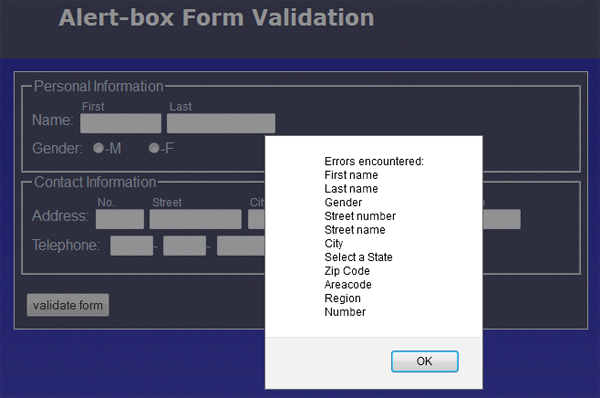
Overview: Write javascript code to check form input against pre-determined validity criteria, reporting any errors through a single alert box.
Preparation: Readings from week 8 (Javascript functions, form validation) and 9 (regular expressions).
Form Feedback via Alert Box Error Messages
Load the form from the previous task and save as "11_simple_validation.shtml". Add this new page to your navigation file with the link "simple validation."
Proceed as follows:
- Update the banner and title element with "Simple Javascript Form Validation". Add a link to this page from your navigation ssi file.
- For each input box on the form, perform the following validation checks:
- Personal Information
- First Name (not empty)
- Last Name (one or more letters, upper or lower case)
- Gender (male or female) (one button checked)
- Contact Information
- Street Number (one or more numbers)
- Street Name (one or more letters, numbers, spaces, hyphens, commas, or periods)
- City (one or more letters, upper or lower case)
- State (one option selected)
- Zip code (5 numbers at the beginning of string)
- Telephone (3 numbers, 3 numbers, 4 numbers in 3 boxes)
- Suggestion (one or more letters, upper or lower case)
- Personal Information
<script src="scripts/validator.js" type="text/javascript" ></script>
(i.e., there will be no other scripts left on your page).